
, by Khalid Hussein
The Last Stop: A Photo Librarian That Never Phones Home
Terminus sorts, checks and protects your photo library on your own computer. No account, no uploads, and every move can be undone. Here is why we built it, and how it works.
Many photo tools ask you to move your life into someone else's building. We wanted one that never asks you to leave the house.
Everyone has the folder. Ten thousand photos, three phones' worth of duplicates, a decade of screenshots, and the one picture you actually need buried somewhere in the middle. The tidy-up tools that promise to fix this usually come with a trade: make an account, upload the lot, and trust that nothing is kept, reused or lost on the way.
That trade is the part we could not accept. Photographs are the most personal data most people own. They show faces, homes, children, grief and holidays. If the point of tidying a library is to look after it, the first rule has to be that it does not leave.
So we built Terminus, a private librarian for your photos. It runs on your computer, it works on the folder you point it at, and it never asks for an account. It is in beta today on the Snap Store for Linux.
Why it is called Terminus
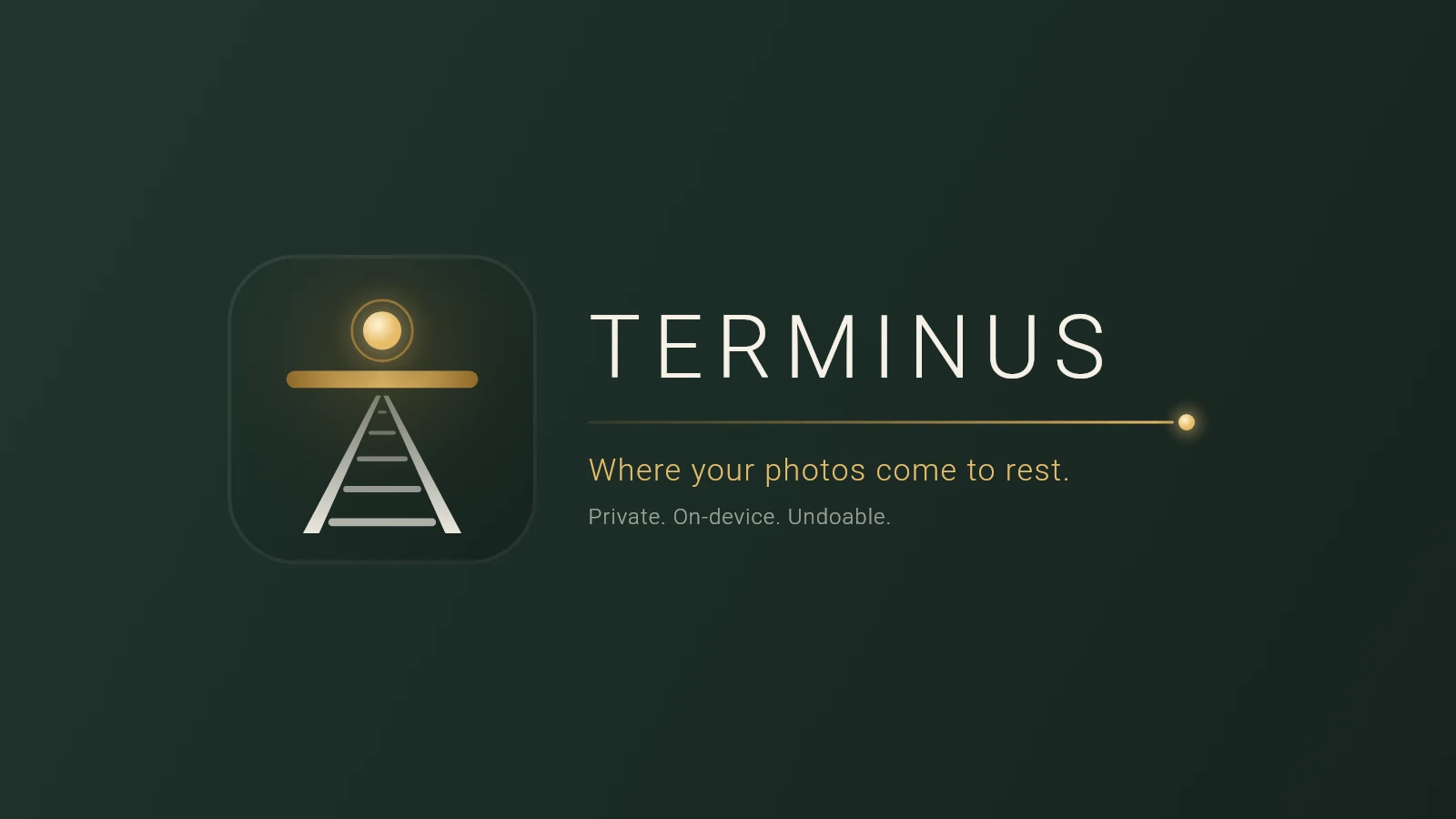
A terminus is where the line ends. The mark says the same thing in a picture: a railway running to the horizon and stopping at a bar. The bar is the buffer stop at the end of the line. The sleepers between the rails are the sprocket holes of a film strip, photos travelling down the track. Above it hangs a single light, the one thing that stays lit at the edge.
Photos come to the end of the line and rest there, safely. That is the whole product in one sentence, and it is on the app's first screen: Where your photos come to rest.
Four stops, then rest
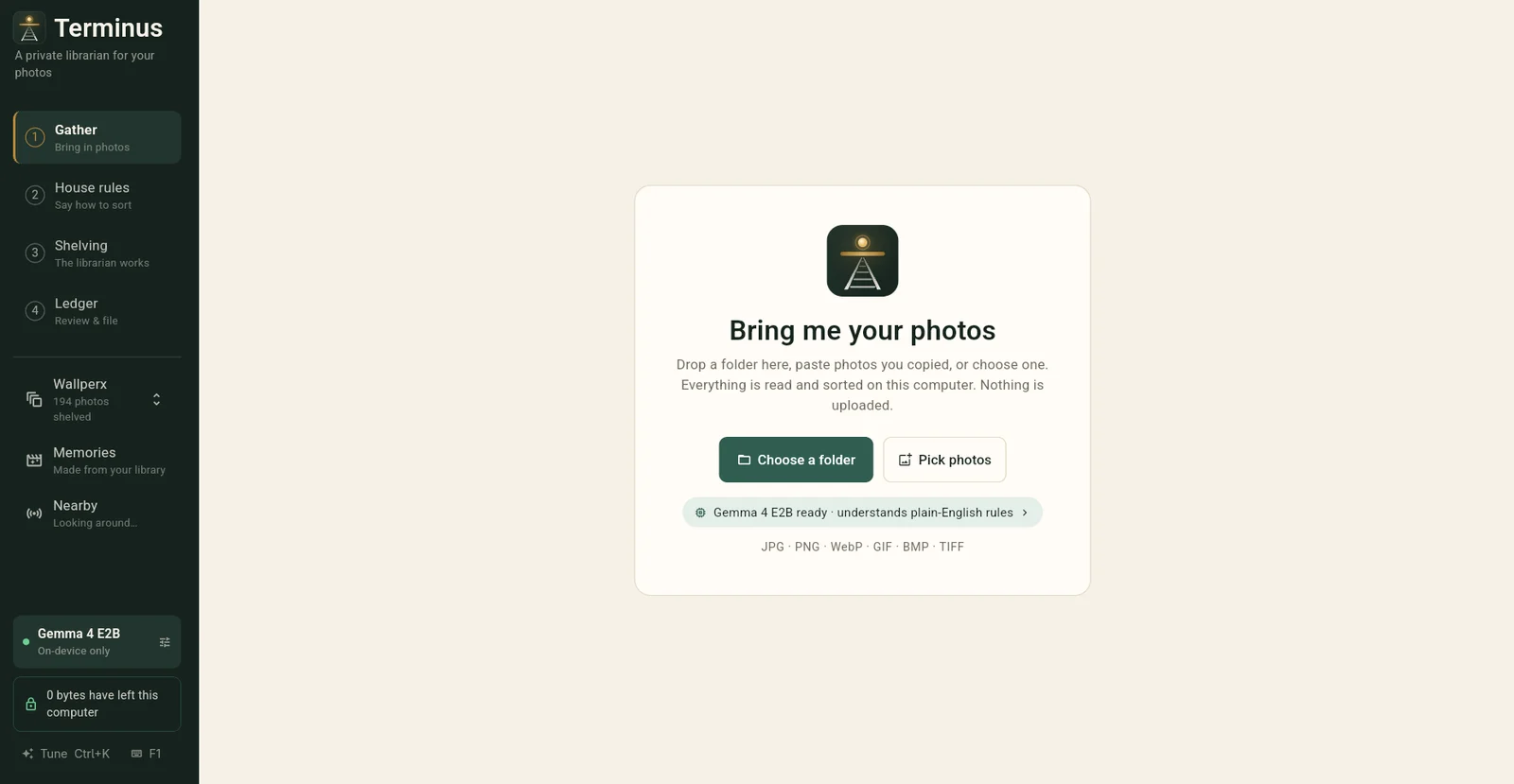
The sidebar is a route. You travel it once, in order, and every stop is a real step.
- Gather. Bring in photos. Nothing is uploaded; everything is read on this computer.
- House rules. Say how to sort. Use the built-in checks for focus, exposure and near-duplicates, or write a rule in plain English.
- Shelving. The librarian works through the folder.
- Ledger. You review what it did and file it.
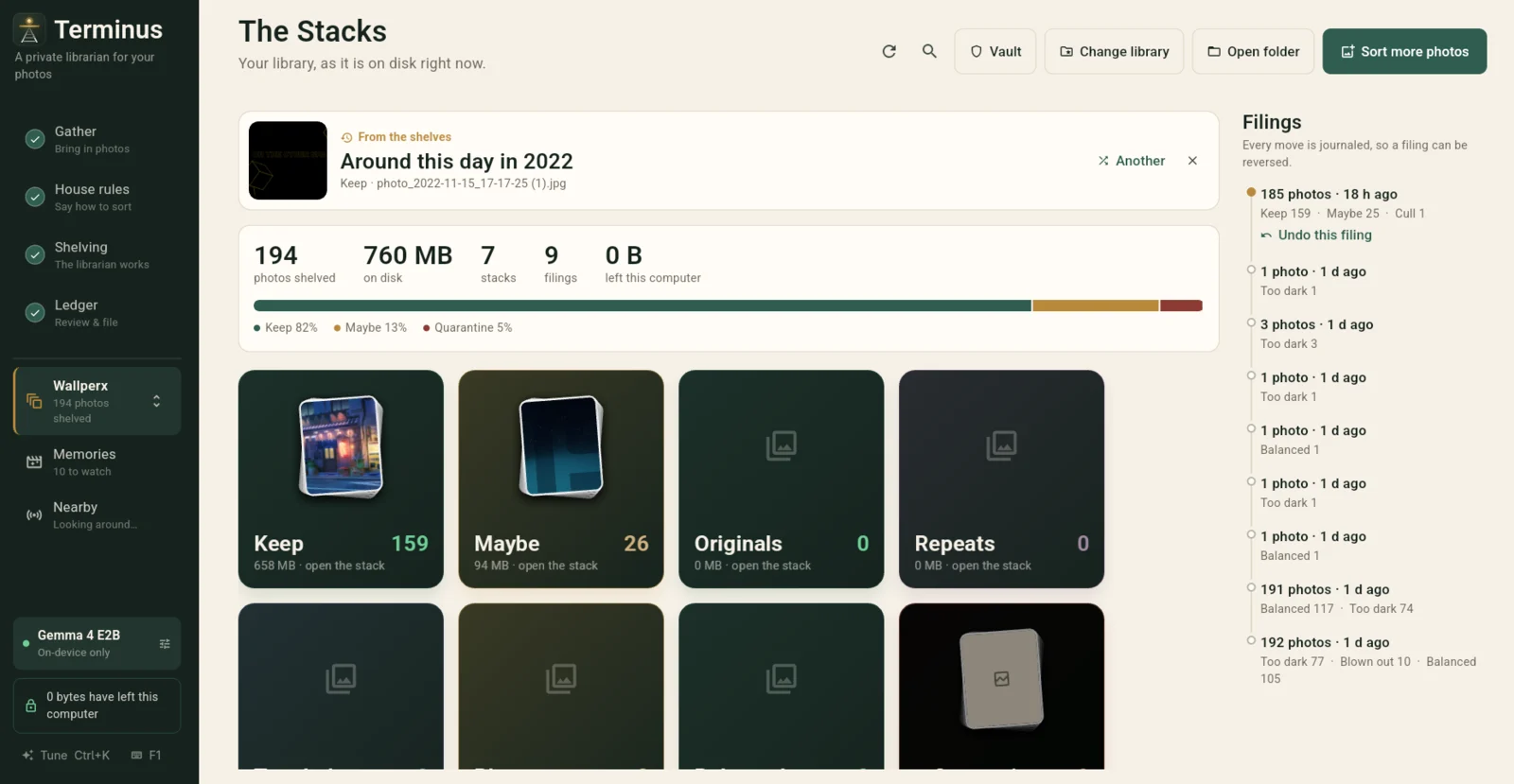
At the end of the line you have a library in stacks: Keep, Maybe, Originals, Repeats and so on. Not a pile of folders to hunt through, but a shelf you can open.
Nothing is deleted. Everything can be undone.
This is the promise we spent the most time on. A tool that moves your files around has to earn the right to, and the only way to earn it is to make every move reversible.
Every action Terminus takes is written into a journal, the filings on the right of that screen. Each one says what it did and how many photos it touched, and the latest one carries a link: Undo this filing. The integrity audit and the duplicate finder never delete anything either. Anything suspect is quarantined, set aside where you can see it and put back.
Here is what a real ledger looks like. This is a sort of 192 images in our own test folder:
| What the librarian saw | Photos | |---|---| | Balanced | 105 | | Too dark | 77 | | Blown out | 10 |
A word of caution on that table. The test folder is wallpapers and illustrations, which skew dark, so please do not read it as a measure of accuracy. We are showing you the shape of the thing: a plain count, a reason for each, and a way back.
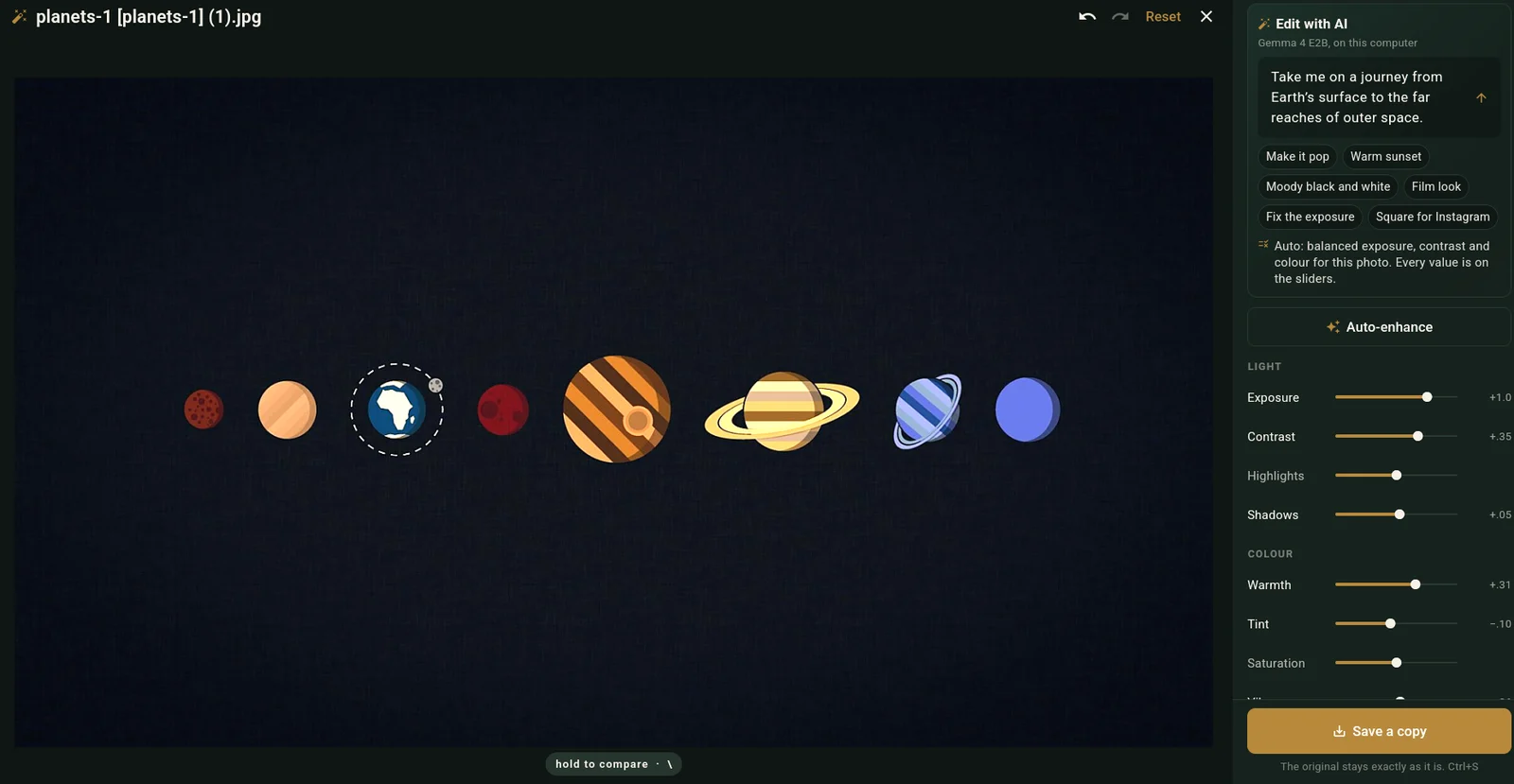
Editing follows the same rule. When you open a photo and use Edit with AI, you describe what you want, or press auto-enhance, and every adjustment lands on a slider you can move yourself. The footer says what we promise: the original stays exactly as it is. You save a copy, never an overwrite.
Photos that come back
A library you only ever tidy is a library you never visit. So Terminus also brings things back to you. Memories finds trips, days worth remembering, and this week in other years, all from your own folder on your own machine. Each one gets its own music, and a movie of it is one click away.
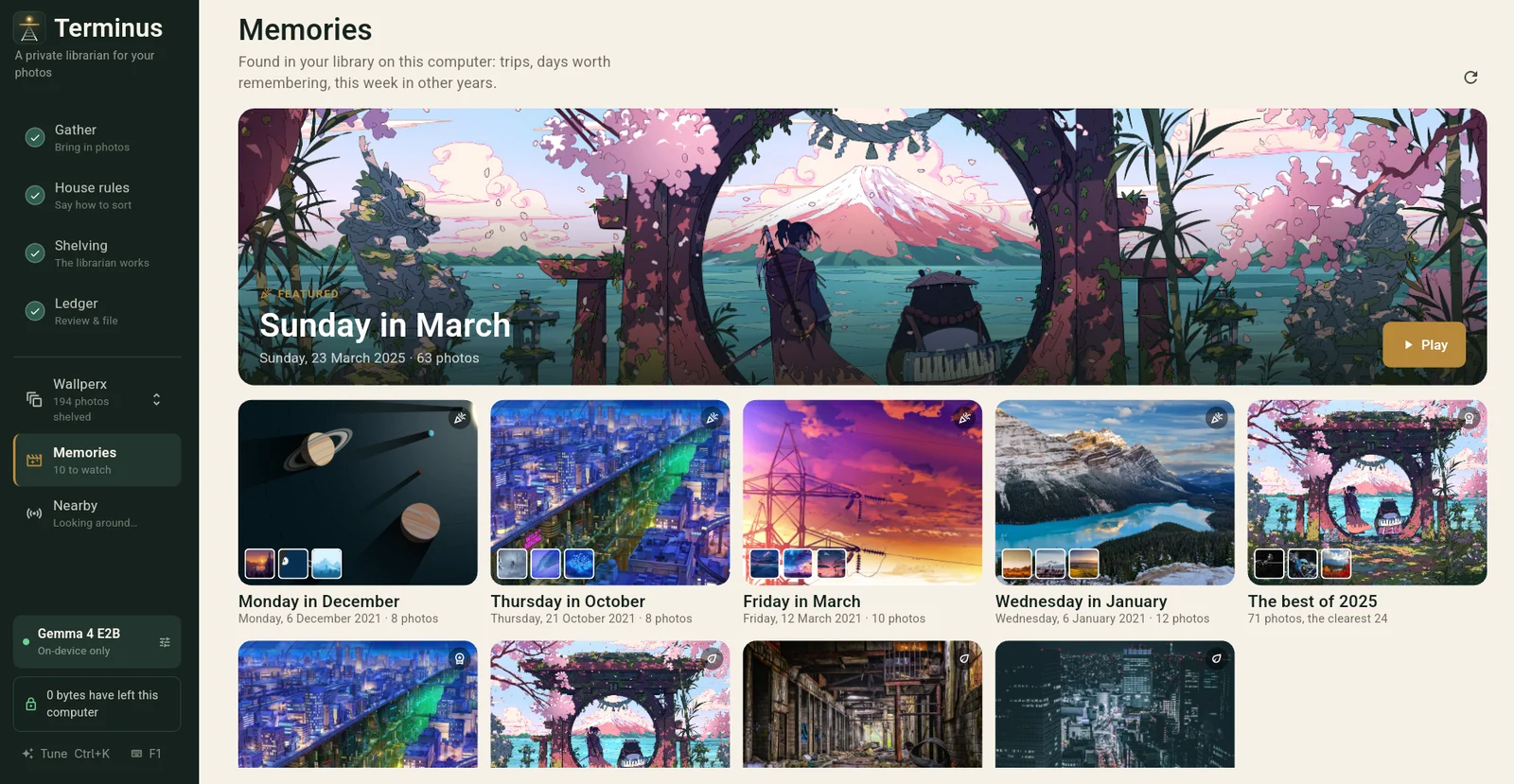
Movies are made with ffmpeg, which ships inside the snap, so there is nothing to install first.
Small enough to stay in the room
The honest question for any "smart" photo tool is where the intelligence lives. In Terminus it lives next to your photos. You can sort with classic computer vision and no model at all, or let a local model understand plain-English rules. In our build it was Gemma 4 E2B running on the machine, and the app labels it as it works: on-device only.
If you would rather use a provider you choose for some edits, that route exists. It is a choice you switch on, not a default you discover.
The app also keeps a running count, in the corner of its main screens, of how many bytes have left your computer on its behalf. In every screenshot above that shows it, it says the same thing: 0 bytes. We like a claim you can watch.
Photos can travel when you want them to. Nearby shares photos and folders with your other devices, directly and encrypted end to end, with no account in the middle. It is off until you turn it on.
Why Eschon is building a photo app
Most of what we write about here is large: federated training across hospitals, proof layers, the law of data sovereignty. A photo librarian can look like a detour. We think it is the same idea at the size of one person.
Our principles on the home page are three short sentences: Run it close. Show the work. Publish openly. Terminus is "run it close" at the smallest scale we could find. Models should work on the hardware people already have, and keep working when the connection drops. Privacy should be something you can check, with a counter, with a journal, with an undo button, and not a claim you are asked to accept. A hospital should not have to hand over its records to get value from a model, and neither should you hand over your holidays.
If a photo librarian can do its job without a single byte leaving the machine, the argument for doing the same with far more serious data gets a little stronger.
Try the beta
Terminus is in beta on the Snap Store, and Linux is where it is today. It runs in a strict sandbox and can reach your home folder.
sudo snap install terminvs --beta
If your photos are on an external drive, connect it once:
sudo snap connect terminvs:removable-media
The product page is at terminus.eschon.io. It is a beta, so expect rough edges, and tell us about them through the contact page. We would rather hear it than guess.
Where your photos come to rest. Private. On-device. Undoable.
Get the next digest
One email a month: what changed in AI, infrastructure and policy, and what it means for Africa.